

Billing/Accounts/Certification
- Is Payment By Check Accepted?
- How Do I Access My Certificate?
- Are Discounts Available If Multiple Webcasts Are Purchased?
- I Need To Change/Cancel/Refund My Course
- Am I Able To View Webcasts As A Group?
- What do I do if I missed one of the codes or am having trouble with my certification?
- What Do I Need To Do Receive A Certificate of Completion?
- I Missed A Code/Can't Access My Certificate
- How do participation codes work?
Back to Support Home
Trouble Signing In?
(1) If you are receiving the below error message when trying to sign in on this website to view online education:

-
Please ensure you have no typos in your entered customer account email address.
-
Please note that while you may have an existing customer account under your state association’s website, a customer account on this website will be a separate account. You are safe to create a new customer account by clicking on “Sign In” and clicking on the “I am a New Customer” button.
(2) If you are receiving the below error message when trying to sign in on this website to view online education:

-
Please ensure you have entered your password in correctly and you do not have CAPS Lock engaged on your keyboard
-
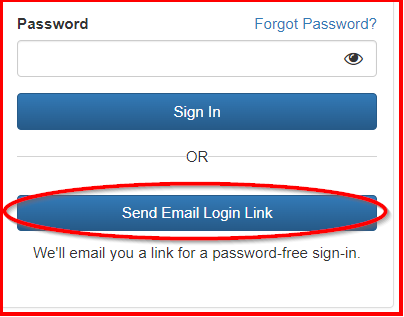
Please reset your password by clicking on the "Forgot Password?" link
OR -
Click the "Send Email Login Link" button which will email you a link for a password-free sign-in.
If you don’t know what your user information is, or it isn't working for you, please contact the Help desk at (877) 602-9877 or help@acpen.com to have your login information reset.